Web Design
Why Accessibility Matters for Your Website (and Your Customers)
An accessible website reaches more people and works better for everyone. It is also easier than you think.
- Written by
- Navas
- Published
What Does Accessibility Actually Mean?
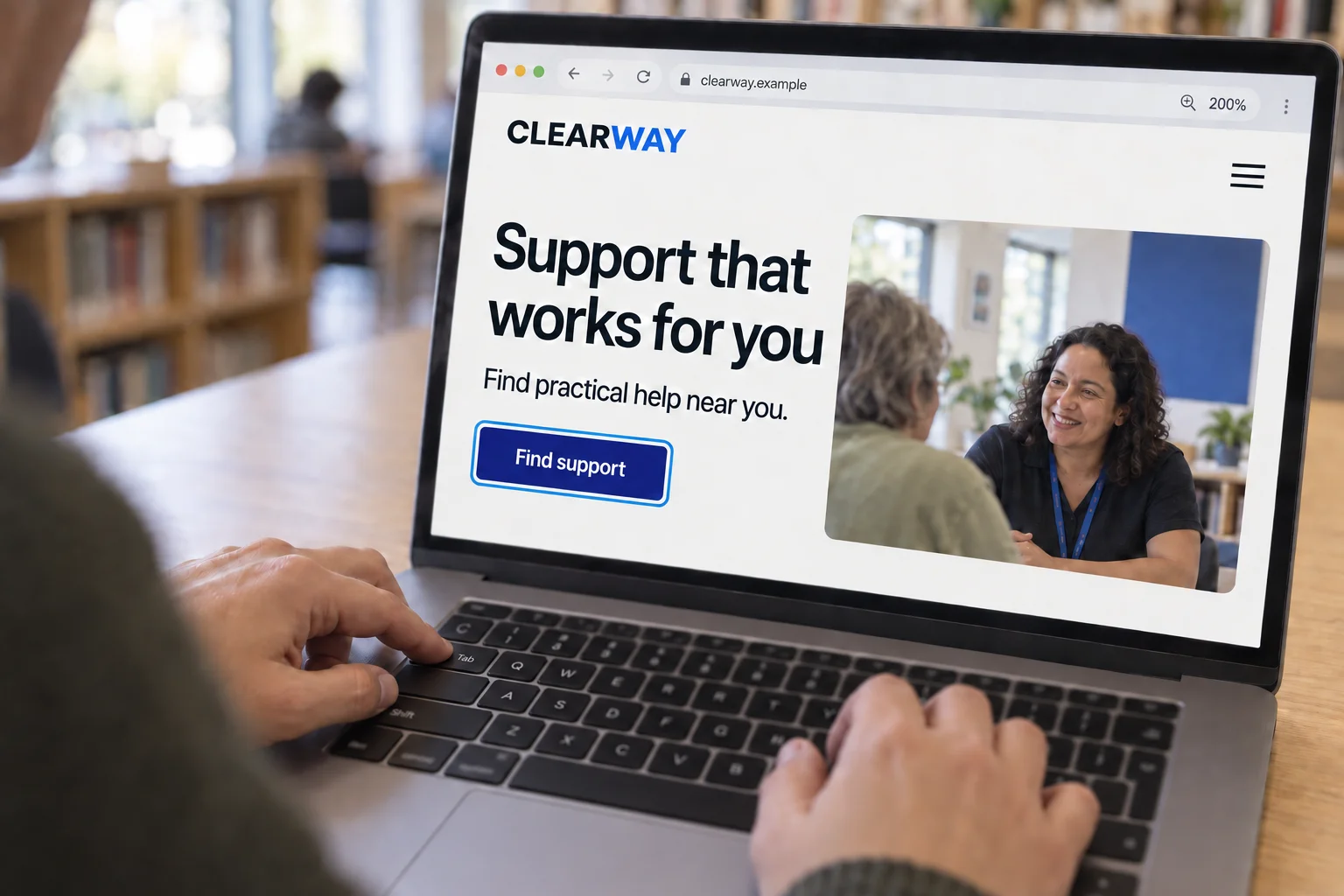
Web accessibility means making sure your website works for everyone, regardless of how they access it. That includes people using screen readers, people who navigate with a keyboard instead of a mouse, people with low vision, colour blindness, or motor impairments.
But here is the thing most people miss: accessibility is not just about disability. It is about usability for everyone.
Who Actually Benefits?
Yes, accessible websites are essential for people with disabilities. But the improvements you make for accessibility help far more people than you might expect.
Someone browsing on their phone in bright sunlight benefits from good colour contrast. An older visitor with reading glasses benefits from clear, resizable text. Someone with a slow internet connection benefits from a well-structured, lightweight page. A busy parent filling in a form one-handed benefits from large, easy-to-tap buttons.
When you build for accessibility, you build a better experience for everyone. It is not a niche concern. It is good design.
The Legal Side (UK Context)
In the UK, the Equality Act 2010 requires organisations to make reasonable adjustments so that disabled people can access their services. That includes websites. Public sector websites have specific legal requirements under the Public Sector Bodies Accessibility Regulations 2018, but private businesses are not exempt from the broader obligation.
While enforcement against private websites is still relatively rare, it is increasing. More importantly, if someone cannot use your website because of an accessibility barrier, you are turning away customers. That is a business problem as much as a legal one.
Accessibility and SEO Go Hand in Hand
Search engines and screen readers have something in common: they both rely on well-structured content to understand your website. Proper heading hierarchy, descriptive image alt text, semantic HTML, clear link text. All of these help Google understand and rank your pages. They also help assistive technology users navigate your site.
When I built the Ssanjha Space arts platform, accessibility was part of the design from the start. The result was a site that worked beautifully for all visitors and performed well in search. Those two goals are not in conflict. They reinforce each other.
What Good Accessible Design Looks Like
Accessible design is not ugly design. That is a myth that needs to go. Some of the best-looking websites in the world are also highly accessible.
Good accessible design means: sufficient colour contrast so text is easy to read, clear and consistent navigation, forms with proper labels and error messages, images with meaningful descriptions, content that works with a keyboard as well as a mouse, and text that scales properly when someone zooms in.
None of that limits creativity. It just means being thoughtful about the basics.
What to Ask Your Developer
If you are commissioning a website, these are worth asking:
Will the site be tested against WCAG (Web Content Accessibility Guidelines) standards? How are you handling colour contrast, keyboard navigation, and screen reader compatibility? Can you show me examples of accessible sites you have built?
A good developer will not treat accessibility as an afterthought or an add-on. It should be built in from the beginning, not bolted on at the end.
It Is Not as Hard or Expensive as You Think
One of the biggest misconceptions is that accessibility is expensive or complicated. When it is part of the build process from the start, the additional cost is minimal. Most accessibility best practices are simply good development practices.
The expensive scenario is building a website, launching it, and then discovering it fails basic accessibility checks. Retrofitting accessibility into a finished site is far more costly than building it in from day one.
The Bottom Line
Accessibility is not a box-ticking exercise. It is about making your website work for the widest possible audience, which is exactly what you want as a business owner. More people able to use your site means more potential customers, better search rankings, and a stronger reputation.
It is the right thing to do. And it is the smart thing to do.